.png)
Now live on MyComputerBrain, CurveLab brings powerful mathematical function analysis into a single, accessible learning environment.
It is free on MyComputerBrain, does not require student accounts, and does not make use of GenAI, which makes it easy to use in class, for homework, or for independent revision.
Built for mathematical reasoning and repeated classroom and home use, CurveLab combines graphing, symbolic differentiation, numerical feature detection, and written analysis in one place. Students explore their functions, interpret derivatives and check their own work in an integrated environment.
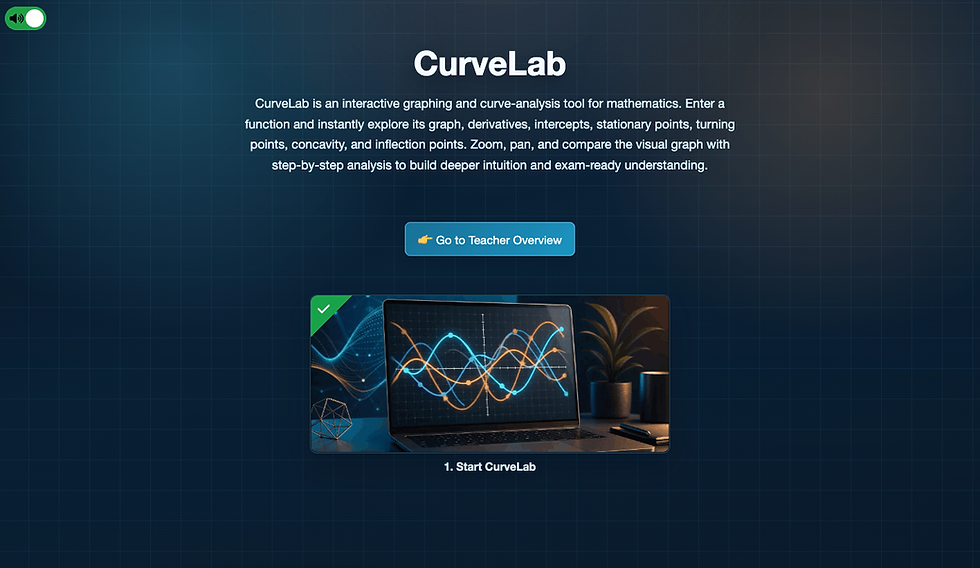
Students enter a function and receive a structured explanation of the graph and its key features, including x-intercepts, y-intercepts, minima, maxima, turning points, concavity, and points of inflection.

Why CurveLab matters
The main value of CurveLab is speed of feedback.
When students can quickly see whether a graph, derivative, intercept, turning point, or classification is correct, they can confirm or correct their thinking while the reasoning is still active. That shortens the gap between attempt and response.
CurveLab makes that possible by bringing the graph, the marked points, and the written analysis together in one place. Students can test an idea, inspect the result, and adjust their mental model immediately.
Useful from Year 9 onward
CurveLab is especially relevant in senior secondary mathematics, but it is also useful earlier.
From Year 9 onward, students begin to encounter functions and identify basic graph features such as:
x-intercepts
y-intercepts
the overall shape of a graph
the connection between an equation and its visual representation

At this stage, CurveLab helps students build familiarity with function notation and graph behaviour.
It is also useful for solving quadratic expressions, because the solutions of f(x)=0 appear directly as the graph’s x-intercepts. That gives students a concrete bridge between algebraic solving and visual reasoning.
What students actually do
CurveLab is intentionally simple to use.
Students enter a function, choose an interval manually or use Auto view, and then inspect the analysis produced by the tool. The graph and the written explanation work together:
the graph shows f(x), f'(x), and f''(x)
key points are marked directly on the curve
the written explanation is organised by mathematical concept
students can zoom, pan, hide or show graphs, and focus on one relationship at a time
This makes CurveLab suitable for several kinds of work:
introducing functions and graph behaviour
practising curve sketching
revising differential calculus
checking hand-calculated derivatives
discussing misconceptions in whole-class teaching
Main features
Combined graph and analysis view
Students see a plotted curve together with a structured written explanation of important features such as intercepts, minima, maxima, turning points, concavity, and points of inflection.
Automatic derivative generation
CurveLab computes derivatives and uses them to analyse stationary points, turning points, concavity, local extrema, and points of inflection.
Marked points on the graph
Important points are shown directly on the graph so students can move between the visual representation and the written reasoning.
Linked graph and analysis text interaction
The graph and the written analysis are connected. Hovering over a marked point in the graph highlights the corresponding point in the analysis, and hovering over the point in the analysis shows it on the graph.
Graph comparison
f(x), f'(x), and f''(x) can be shown or hidden to help students compare how the derivative graphs relate to the original function.
Adjustable interval selection
Students can enter their own interval or use Auto view to focus on the most relevant part of the graph.
A derivative checker
Students can enter their own version of f'(x), f''(x), or f'''(x) and compare it against CurveLab’s result numerically across the selected interval.
Support for common senior-school notation
CurveLab handles powers, rational expressions, trigonometric functions, exponential and logarithmic functions, square roots, absolute value, inverse tangent, and related notation used in school mathematics.
Why the derivative checker matters
One of the strongest features of CurveLab is the derivative checker.

Students often assume that if their derivative does not look exactly the same as the model answer, it must be wrong. In practice, equivalent expressions can be written in different forms.
CurveLab compares student-entered derivatives numerically over the selected interval. That means a student’s answer can still be accepted if it gives the same values, even when the expression looks different on the page.
This matters for teaching because it keeps the focus on mathematical equivalence.
It also supports a faster feedback loop. Students do not have to stay uncertain for long about whether a result is correct. They can test it while the reasoning is still active, which makes correction and consolidation more immediate.
Designed for teaching
CurveLab is useful because it is structured for learning.
The analysis is grouped by concept in a clear, structured way.
The interval can be controlled, which matters for classroom questions.
The tool intentionally does not fully simplify every derivative, so students can still see the underlying differentiation structure.
The graph and the text analysis are designed to support each other.
This makes the tool useful for teacher explanation, guided practice, paired discussion, and independent checking.

Classroom use
CurveLab works well in lessons where students first predict a graph’s features and then test those predictions.
A typical lesson flow might look like this:
Students are given a function and asked to sketch its likely behaviour.
They calculate derivatives by hand.
The class enters the function into CurveLab.
Students compare the generated analysis with their own predictions.
They revise their sketch and explain what they would now change.
This approach keeps the tool in a supporting role. CurveLab is most valuable when it helps students refine mathematical reasoning, not when it replaces it.
Use at home
CurveLab is also well suited to revision outside class.
Students can use it to:
test textbook functions
revisit difficult curve-sketching questions
compare their own derivative work
zoom into difficult regions of a graph
rewrite the generated explanation in their own words
This makes it a practical bridge between direct instruction and independent study.
A new mathematics tool for MyComputerBrain
CurveLab continues the mission of MyComputerBrain to open up black boxes.
CurveLab fills that role for functions and introductory calculus.
For teachers, it offers a practical way to connect algebra, graphs, derivatives, and feedback in one interface. For students, it offers a clearer path from symbolic procedure to mathematical understanding.
CurveLab does not make use of generative AI. Its graphing, differentiation, and analysis are fully deterministic, so the same input produces the same result every time.
Not Just Coding: A Mystery Adventure in Blockly!

Last year, we launched our Introduction to Python course — a free, narrative-driven experience where students learned core programming concepts.
Today, we are pleased to anounce the release of its Blockly-version for upper primary students. The Blockly course closely mirrors its Python sister, allowing educators to provide an earlier entry and a levelled learning experience to their students.
Introducing Cyber Mystery: AI & Coding with Blockly
Cyber Mystery is a free, browser-based course designed to teach students in Years 5–6 the fundamentals of Blockly coding through an intriguing, story-driven mission.
🧩 Engaging Student Activities
The activities are crafted to challenge students to:
Use Blockly to interact with and repair a mysterious system.
Apply coding concepts like `print()`, `input()`, variables, decisions and loops through immersive problems.
Encode information in a binary matrix.
Hack an Artificial Intelligence (a simple neural network - safe for students)
🎮 Where Story Meets Syntax
In this engaging course, students don’t begin with a simple “Hello World.”
Instead, they uncover a strange program on the school server. With each discovery, they awaken a dormant system. In order to get repaired, the system teaches students how to code. Once repaired, the system tries to leave the school server and take over the internet - oops!

We added a super-sleek and easy-to-use Blockly Editor with runtime code highlighting, code checking, variable monitoring and solution-guided code feedback.

Along the students' journey, we placed plenty of quizzes and mini-challenges, spiced up with cinematic videos and cool music.
What starts as a routine repair job quickly transforms into an epic awakening...

The final twist? A dramatic endgame that is worthy of a storyline that blends the worlds of The Matrix and Terminator.

Rank progression and badges 🎖️
As students demonstrate mastery of key concepts in the mini-challenges and the endgame, they unlock ranks and collect badges.

Rank progression is persistent, meaningful, and tied directly to mastery — giving students a strong sense of momentum and achievement. The rank carries across to the award ceremony where we print it on the student certificate.
Multi-Language support 🇦🇺 🇩🇪 🇫🇷 🇪🇸 🇨🇳
The course is available in English, German, French, Spanish and Mandarin, supporting a wide range of native language speakers. Or just use it as a different way to teacher LOTE.

Teacher Support
The course contains a central info page for teacher, as well as solutions and explanations for every coding challenge, directly baked into each task, only visible to teachers.
How to get started
The course is free but anonymous student accounts are required, so that students can collect points and badges, receive a certificate and for teachers to track student progress.
As a teacher, log in to MyComputerBrain (or create a teacher account)
Head to the Shop and create free student accounts for the Cyber Mystery Course. No payment details are required.
Distribute the login/password combinations to your students and have them log into MyComputerBrain.
Students see their licensed courses directly on the homepage.
Our serious commitment to student privacy is on record here.
👩🏫 Designed for Real Classrooms
This course is:
✅ Free for all learners.
✅ Aligned with the Australian Curriculum v9.
✅ Suitable for Years 5–6, requiring no prior coding experience.
✅ Fully online—no setup or installation needed.
✅ Hands-on, featuring activities, mini-challenges, and quizzes.
This course connects Digital Technologies, Cyber Security, English, Critical and Creative Thinking, Digital Literacy Capabilities, Ethical Understanding, and AI Curriculum Connections.
📚 Prepare Your Students to Code
Give your students the Blockly course they won't forget. Engage them with a one-of-a-kind learning experience that sparks their curiosity.
The BIGGER Picture.
The Cyber Mystery course can be the beginning of a fantastic learning journey for your students. Once they have completed the course, they can continue with the Python intro course, and from there do the Academy of AI Cyber Defence. These are three free and highly engaging courses that are designed to work well together.
In today’s digital classrooms, student data has become a valuable commodity. Many learning platforms collect extensive personal information—email addresses, dates of birth, gender, and more—often far beyond what is needed for learning. At the same time, these platforms are increasingly designed as part of broader digital ecosystems. While this enables integration and convenience, it can also introduce complexity and unintended consequences—particularly when student data is shared, synchronised, or expanded across multiple systems without full visibility.
When we designed MyComputerBrain, we chose to step back and return to first principles:
What data is actually required to design an effective learning platform—and what is not?
From a teacher’s perspective, any learning platform used in the classroom must make it possible to deliver specified course content, track student progress, see who has completed activities, identify who is stuck and needs support, and understand how individual students are performing. This requires a mechanism to attribute learning events to specific students and present that information clearly to the teacher.
This leads to a simple but powerful follow-up question:
Can a learning platform support meaningful content delivery, progress tracking, and learning outcomes without relying on student personal data?
To explore this idea, it is worth challenging some long-standing assumptions. Many data fields have become “standard” in education platforms—but standard does not mean necessary.
Let’s take a closer look at the most commonly collected pieces of student data.
📧 Email Addresses
Many platforms use student email addresses as a unique identifier—but this reflects an assumption rather than a requirement.
A learning platform does need a way to uniquely identify students in order to attribute progress and track learning activity. However, that identifier does not need to be personal, nor does it need to enable direct communication.
In a school context, teachers are the primary point of contact, and communication is already managed through established school channels. There is typically no need for a learning platform to introduce an additional direct line to students.
Using email addresses as identifiers creates an unnecessary communication pathway, opening the door to unsolicited contact or notifications and increasing the risk surface in the event of a data breach.
🎂 Date of Birth (DOB)
Dates of birth are often collected for age verification—but in a school context, this step has already been completed: Teachers enrol students into activities and courses and ensure that all content is suitable for the students’ level of development. From the platform’s perspective, storing DOB adds no meaningful value. It simply introduces highly sensitive personal data without a clear purpose.
⚧️ Gender
Gender is another commonly requested field—but in most educational contexts, it serves no meaningful purpose. The vast majority of courses are not gender-specific, and learning outcomes do not depend on gender identity. Collecting this information adds no educational value and instead introduces unnecessary personal profiling. Unless there is a clear and explicit need—which is rare—there is no justification for a learning platform to collect gender data.
We Only Collect What Is Truly Necessary
We believe that powerful digital learning tools should not come at the cost of student privacy. That’s why privacy is not an afterthought in our platform—it’s built into its very foundation.
MyComputerBrain is designed to function effectively without requiring sensitive personal data. We deliberately do not collect:
Student email addresses
Dates of birth
Gender information
By minimising data collection, we simplify compliance for us, schools, and align with best practices in student data protection.
Designed for Classrooms, Not Data Harvesting
Teachers need visibility into student progress—but that does not require personal data.
In MyComputerBrain, student accounts are designed to support classroom use, not to create digital identities. Names are optional and exist purely to help teachers manage their classes. Teachers can leave them blank or use nicknames or aliases, and students can participate fully without revealing personal information.
This allows teachers to run engaging, trackable learning experiences while maintaining a high standard of privacy.
How It Works in Practice
Our privacy-first philosophy is not just theoretical—it directly shapes how MyComputerBrain is designed and used.
Student accounts are intentionally minimal. At a technical level, there are no database fields for email addresses, dates of birth, or gender. Instead, each student is represented by a system-generated identifier that allows learning activity to be tracked without relying on personal data.
Here’s how it works:
👩🏫 Teachers create anonymous student accounts in the shop
🆔 Each account is identified by a system-generated ID (not personal data)
⏳ Accounts automatically expire after a time period set by the teacher
🔒 Students cannot change their names or passwords
🎯 Teachers retain full control over student account names, passwords, access and lifecycle
This design ensures that students can participate without providing personal data, that accounts remain temporary rather than becoming permanent digital identities, and that access is tightly controlled within the classroom context.
In other words, students can fully engage with the platform without ever needing to “exist” as identifiable users in a system.
Reducing Risk for Schools
Every piece of personal data stored is a potential liability. By not collecting sensitive identifiers, we reduce both the volume of data at risk and the potential impact of any breach. This enables schools to adopt MyComputerBrain with confidence, knowing they are taking a proactive approach to protecting their students.
This is especially important in an era of increasing regulatory requirements and heightened awareness of digital safety.
A Future-Proof Approach to Student Privacy
Privacy expectations are only going to increase. By adopting a minimal data philosophy, MyComputerBrain is already aligned with modern privacy principles such as data minimisation and purpose limitation, while also meeting the growing expectations of schools, departments, and parents around the protection of student data.
No Direct Student Contact—By Design
A key consequence of our privacy-first approach is:
We cannot contact students directly.
Because MyComputerBrain does not collect student email addresses or personal contact details, we cannot contact students through the platform. They will not receive emails from us, and there is no channel for unsolicited communication—because no such channel exists.
This is not a limitation—it’s a deliberate safeguard.
Teachers Remain the Primary Point of Contact
Students are at the centre of the learning experience, but communication remains firmly in the hands of the teacher. By design, MyComputerBrain does not establish direct communication channels with students. Instead, all communication flows through the teacher, who remains the sole point of contact for their class.
If a student encounters an issue with one of our courses that the teacher cannot resolve, the teacher raises a support request with us. We respond directly to the teacher, who then communicates the outcome back to the student.
This ensures that all interactions stay within the trusted classroom environment, with no external touchpoints that bypass school oversight. As a result, parents and schools can be confident that communication is appropriate, controlled, and aligned with established school practices.
Why We Deliberately Avoid SSO Integration
Many platforms promote Single Sign-On (SSO) as a convenience feature—but it often comes with hidden privacy trade-offs.
When a student logs in an SSO-enabled platform using their school email address, a significant amount of personal data can be automatically shared with the platform. This can include the unique student identifier, email address, name, gender and other profile information—frequently without the student, teacher, or parents being aware of the extent of this data exchange.
At MyComputerBrain, we have made a conscious decision not to support SSO.
Why? Because convenience should not come at the expense of student privacy.
By avoiding SSO, we eliminate automatic data sharing between school systems and our platform, ensure that only the minimum necessary data is used, and give schools full confidence that student information is not being silently transferred or expanded.
This approach aligns with our core philosophy:
If the data is not essential for learning, we don’t want it.
🎯 The Bottom Line
MyComputerBrain demonstrates that you don’t need to collect personal data to deliver powerful, engaging digital learning.
Instead, we focus on what really matters:
Captivating curriculum-aligned learning content
Strong learning outcomes
High student engagement
Excellent teacher support
All while keeping student privacy front and centre.
If you’d like to see how MyComputerBrain works in practice, explore the platform or get in touch—we’re always happy to help.